
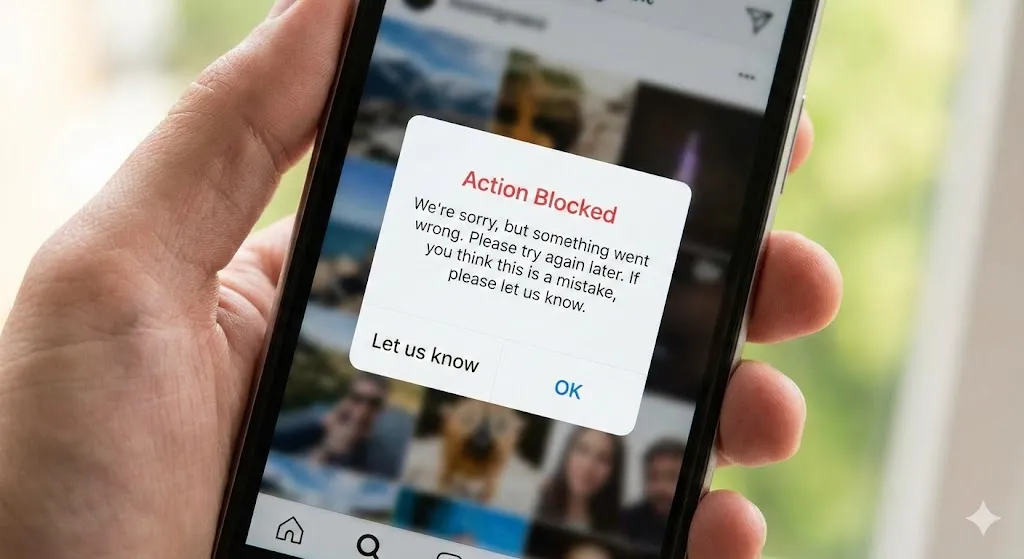
It happens suddenly. You are scrolling through your feed, liking your friends’ photos, or maybe leaving a comment on a funny reel. Then, a pop-up message ruins your mood:
“Action Blocked. This action was blocked. Please try again later.”
Panic sets in. Did you get banned? Did someone hack you? Why is Instagram punishing you for being social?
The “Action Blocked” error is Instagram’s way of fighting spam, but their algorithm is aggressive and often punishes innocent users like you. It’s essentially a temporary “time-out” or what users call “Instagram Jail.”
If you are stuck in this digital prison, don’t worry. In most cases, your account is safe. In this guide, I will explain exactly why this happened and, more importantly, how to fix it so you can get back to double-tapping in no time.
Why Did Instagram Block Me?
Before we fix it, you need to know what triggered the alarm. Instagram’s AI thinks you are a bot. This usually happens if you:
- Liked too many photos too fast: Yes, there is a speed limit on liking.
- Followed/Unfollowed mass accounts: Trying to grow your followers aggressively? Instagram hates that.
- Commented the same thing repeatedly: Posting “Nice! 🔥” on 50 posts in a minute looks like spam.
- Used third-party apps: Did you log in to an app that tracks “Who unfollowed me”? Those are major red flags.
Method 1: The “48-Hour Rule” (Do Nothing)
I know this is hard, but it is the most effective fix. When you see the block message, stop everything.
- Do not try to like another photo.
- Do not try to comment.
- Close the app and leave it alone for 24 to 48 hours.
If you keep trying to perform actions while blocked, you are just resetting the timer. It’s like arguing with a referee; it only makes the penalty longer.
Method 2: Switch to Mobile Data
Sometimes, Instagram blocks your IP address, not just your account. This is common if you are on public Wi-Fi (like at a school or coffee shop) where other people might be spamming.
- Turn off your Wi-Fi.
- Enable your phone’s Mobile Data (4G/5G).
- Restart the Instagram app and try liking a post.
If it works, your Wi-Fi IP was the problem.
Method 3: Disconnect Third-Party Apps
This is a hidden culprit for many users. If you have any apps linked to your Instagram (like follower trackers or auto-likers), revoke their access immediately.
- Open Instagram and go to your Profile.
- Tap the Menu (three lines) > Settings and privacy.
- Go to Website permissions > Apps and websites.
- Remove any “Active” apps that look suspicious.
- Change your password. This automatically logs out all third-party services.
Method 4: Link Your Facebook Account
Instagram wants to prove you are a real human, not a bot. Linking your account to Facebook adds a layer of trust.
- Go to Settings and privacy.
- Tap Accounts Center.
- Add your Facebook account.
This signals to the algorithm: “Look, I am a real person with a real social circle.”
Method 5: Report a Problem
If you have done nothing wrong and are still blocked after 48 hours, tell Instagram.
- Go to Settings > Help.
- Tap Report a Problem.
- Type a polite message: “I am a real person, not a bot. I think my account was blocked by mistake. Please help.”
Frequently Asked Questions (FAQ)
Q: How long does the Action Block last? A: It varies. A temporary block usually lasts from 24 hours to 48 hours. However, if you keep trying to bypass it, it can be extended to up to two weeks.
Q: Can I still post stories while action blocked? A: Usually, yes! The block typically restricts liking, commenting, and following. You can often still post photos and stories to keep your followers updated.
Q: Will this affect my reach or engagement later? A: Once the block is lifted, your account returns to normal. However, if you get blocked frequently, Instagram may lower your “Trust Score,” reducing your visibility (shadowban). So, take it easy!
Conclusion
Getting “Action Blocked” is annoying, but it’s not the end of the world. It’s just Instagram asking you to slow down. The best cure is patience—put your phone down, take a break for two days, and let the block expire naturally.
Once you are back, remember to act like a human, not a machine. Slow down your likes and avoid those sketchy follower apps!
Are you currently in Instagram Jail? Tell us in the comments how long you’ve been stuck—we can commiserate together!